Giada
Your hardcore loop machine.

Giada - Your Hardcore Loopmachine

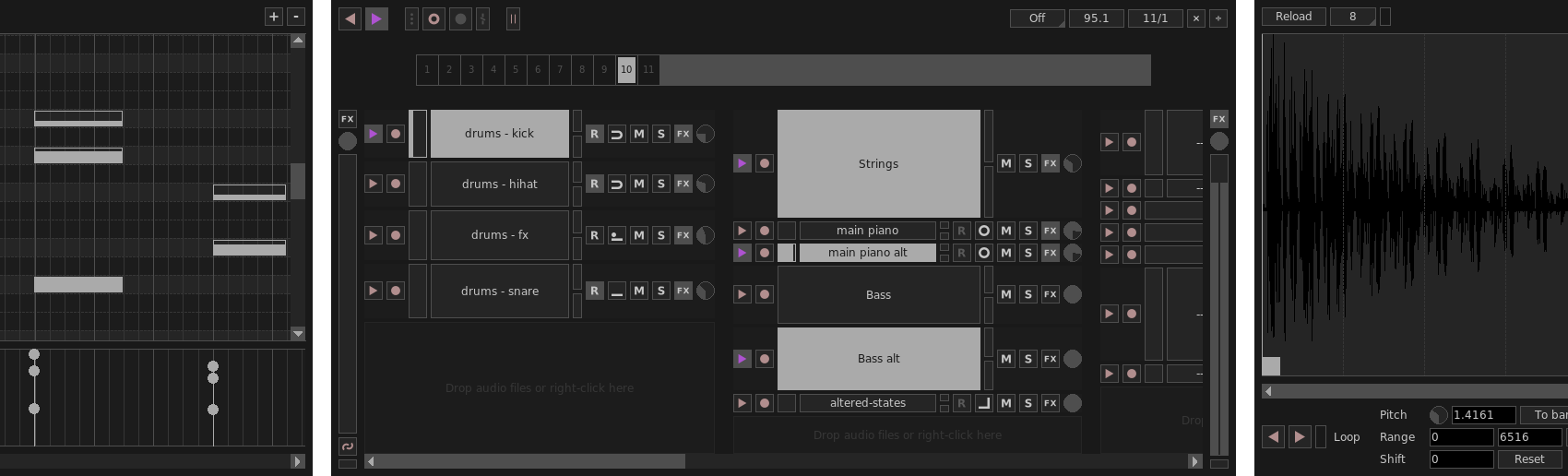
Giada is an open source, minimalistic and hardcore music production tool. Designed for DJs, live performers and electronic musicians.

➔ See it in action!

Features.

1. Giada is a loop machine.

Build your performance in real time by layering audio tracks or MIDI events, driven by the main sequencer.

2. Giada is a sample player.

Load samples from your crates and play them with a computer keyboard or a MIDI controller.

3. Giada is a song editor.

Write songs from scratch or edit existing live recordings with the powerful Action Editor, for a fine-tuned control.

4. Giada is a live recorder.

Record sounds from the real world and MIDI events coming from external devices or other apps.

5. Giada is an FX processor.

Process samples or audio/MIDI input signals with VST instruments from your plug-ins collection.

6. Giada is a MIDI controller.

Control other software or synchronize physical MIDI devices by using Giada as a MIDI master sequencer.

Lightweight and powerful.

Designed for live performances.

Powerful multi-threaded audio engine.

Super sleek interface, no exotic stuff.

VST3, LV2 and MIDI I/O support.

Tons of tools and modes to craft your songs.

100% open-source GPL.

For Linux, Windows, macOS and FreeBSD.

Download.

Latest version

1.6.0, Mavka

Released on September 22, 2026

Linux

Flatpak

⇩ get it! ⇩

Windows

x86-64

⇩ get it! ⇩

macOS

arm64

⇩ get it! ⇩

Source code

⇩ get it! ⇩

Changes in version 1.6.0 Mavka

This release introduces elastic time-stretching for sample channels, letting users independently adjust playback speed and pitch, powered by the Rubber Band audio library. The Sample Editor has been reworked accordingly with a redesigned Pitch/Time panel, a new Playback Mode selector (Tape vs. Elastic), a quick "Adjust..." menu for common pitch/time operations, and a dedicated sample info window.

  • Add elastic (time-stretching) playback mode for sample channels, allowing tempo and pitch to be changed independently;
  • Sample Editor: major UI rework, focusing on the pitch tools and audio file info sections;
  • Sample Editor: organize the sample-spreading actions (spread to bar, spread to song) into a dedicated menu;
  • Sample Editor: add "+1 Semitone" and "-1 Semitone" options to quickly adjust sample pitch in semitone increments;
  • Improve audio buffer performance and internal data handling by switching to a more efficient memory layout;
  • CMake: add a new WITH_ASAN option (disabled by default) to build with AddressSanitizer + UndefinedBehaviorSanitizer;
  • Fix a crash that could occur when closing sub-windows;
  • Various minor internal optimizations and code cleanups.

Follow us.

Facebookinstagramgithubyoutubekvr audio